Every facility’s inspections, verified. Without walking every facility.
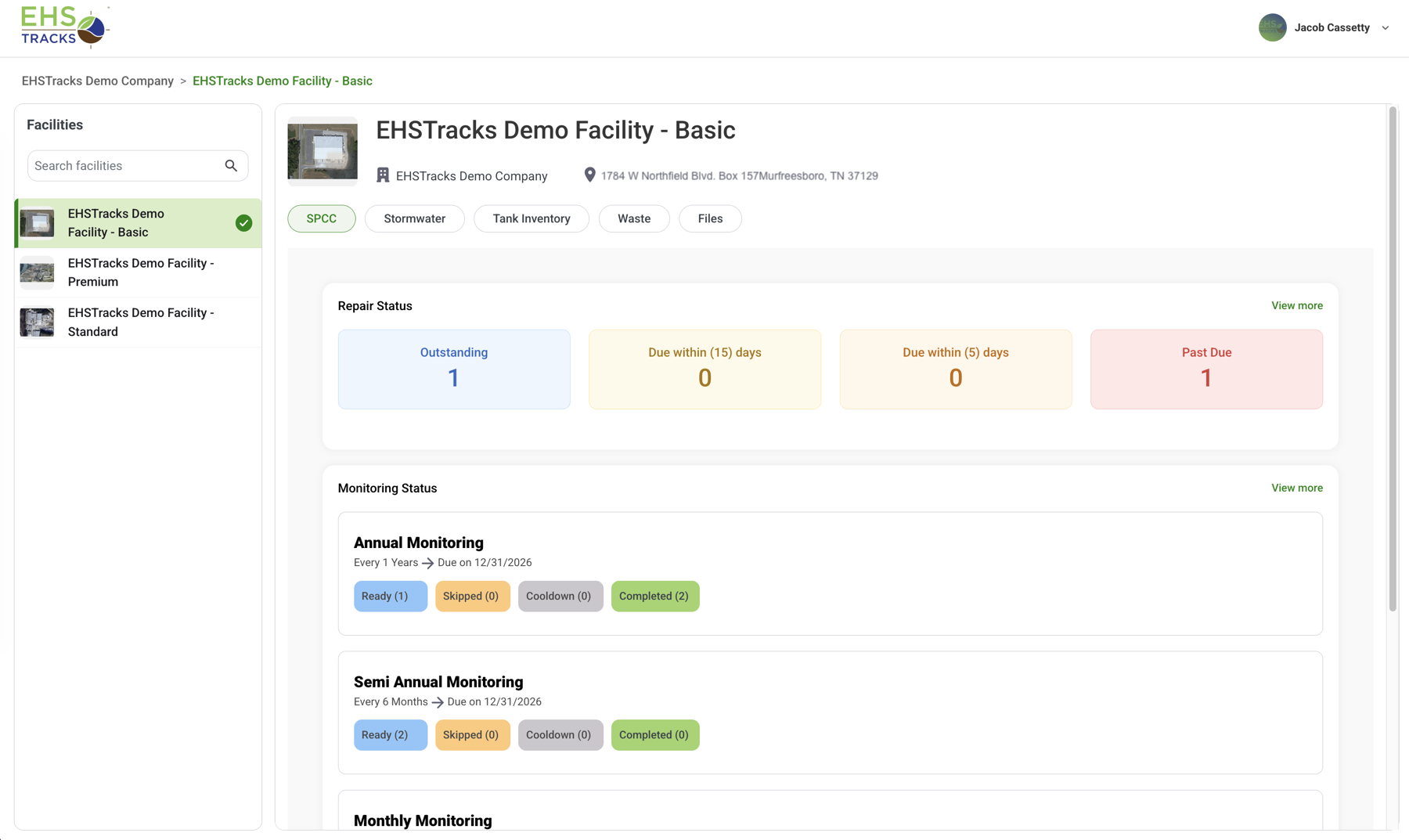
Multi-facility EHS compliance software gives a corporate team proof that field inspections happened everywhere. EHSTracks runs the same inspection program at every facility, checks the inspector’s GPS position at the equipment, records missed inspections automatically, and turns every failed answer into a Repair with a deadline. You see it without chasing paperwork.
What you’re accountable for, and can’t see from corporate
You own environmental compliance for twelve facilities. You’ve walked four of them this year. Each one runs SPCC and stormwater, maybe LDAR or waste, and every one of them is doing the work. The trouble is that you can’t see it.
- Program drift
- Every facility started on the same forms. Two years on, Site 4 has added a question, Site 7 has dropped two, and the records no longer line up.
- Status by email
- The monthly status report is stitched together by hand from twelve spreadsheets. It’s a week old when it reaches your VP.
- Quiet Repairs
- A deficiency at Site 9 ages past its due date in a local tracker. Corporate finds out when someone asks.
- The auditor finds it first
- A missed inspection surfaces in audit prep, months late, when the only fix left is an explanation.
None of that is a people problem. It’s a system problem, whether you’re the corporate environmental manager at an oil and gas operator, a refinery group, a utility, or a multi-plant manufacturer. More on where multi-facility programs break.
What does EHSTracks give a corporate EHS team?
Four outcomes, each tied to something the software does on its own rather than something a coordinator has to remember.
Time and labor back
Findings, photos, and deficiencies are captured once, at the Inspection Point, and every report is built from that data. No re-keying, and audit prep stops being a week in the binders.
How: Mobile capture feeding eight report types
Lower regulatory risk
Schedules match each program’s cadence. Missed inspections are recorded automatically, and every failed item becomes a Repair with an owner and a due date.
How: Nightly schedule automation and automatic Repairs
Knowing what’s happening with every inspector
See which inspections are done, pending, or missed, and which Repairs are open, at each facility as soon as devices sync. GPS checks flag inspections recorded away from the point.
How: Facility dashboards and the Distance Deviation report
Faster training, less turnover risk
The checklist knows which questions apply to each Inspection Point, so a new inspector at Site 9 runs the program correctly in week one. The program lives in the system, not in one veteran’s head.
How: Dynamic question sets driven by point type
How do you standardize inspections across every facility?
You standardize the configuration, not the report. Every facility is built from the same pieces, so the records line up without anyone translating between forms.
- Frequency Groups
- Named, repeating schedules with a cadence, start date, and minimum days between inspections, assigned by Inspection Point type. Area or point overrides handle exceptions without forking the program.
- Nightly automation in local time
- Each night, in each facility’s own timezone, EHSTracks closes the expiring window, records misses, opens the next window, and recalculates every point’s status. Nobody at the facility has to run it.
- Question rules, not checklists
- Questions are set by product, point type, and the point’s physical attributes, from one shared rules library. Inspectors never pick the checklist, so they can’t pick the wrong one.
- Dynamic Setup and managed dropdowns
- A configuration matrix sets which attribute fields appear for each point type, and dropdown lists are managed centrally, so a tank is described the same way everywhere.
- Role-based access by facility
- Every user gets a role and assigned facilities: inspectors, the facilities they work; corporate users, the facilities they oversee. New users see nothing until both are set.
- Pre- and post-inspection checklists
- Configured per product, shown once per inspector per day, and reported on their own.
What happens when a facility falls behind?
It goes on the record, and the right people get an email, whether or not anyone at the facility speaks up. Alerts are opt-in per user, and corporate users can get one email that summarizes every facility they oversee instead of a separate message from each site.
Inspections
- 30 · 15 · 5 · 1 days leftEmail when a period is ending with incomplete points
- Period closes overnightUninspected points are recorded as missed; the next window opens
- Nothing recordedMissed-inspection email when a period closes with nothing recorded
Repairs
- A “No” answerRepair created automatically at the point; new high-priority Repairs send an email
- Due in 15 · 7 · 3 · 1 daysReminder emails as the due date approaches
- Past duePast-due email, and the Past Due count on the facility dashboard
Waste
- Container addedRequired ship date calculated automatically from the inventory
- 60 days to 1 day outOffsite-transfer deadline emails and a dashboard countdown
- Paperwork dueManifest confirmation copies due and monthly generator status checks
How do you know the inspection happened?
A timestamp and a username prove somebody pressed a button. They don’t put a person at the tank.
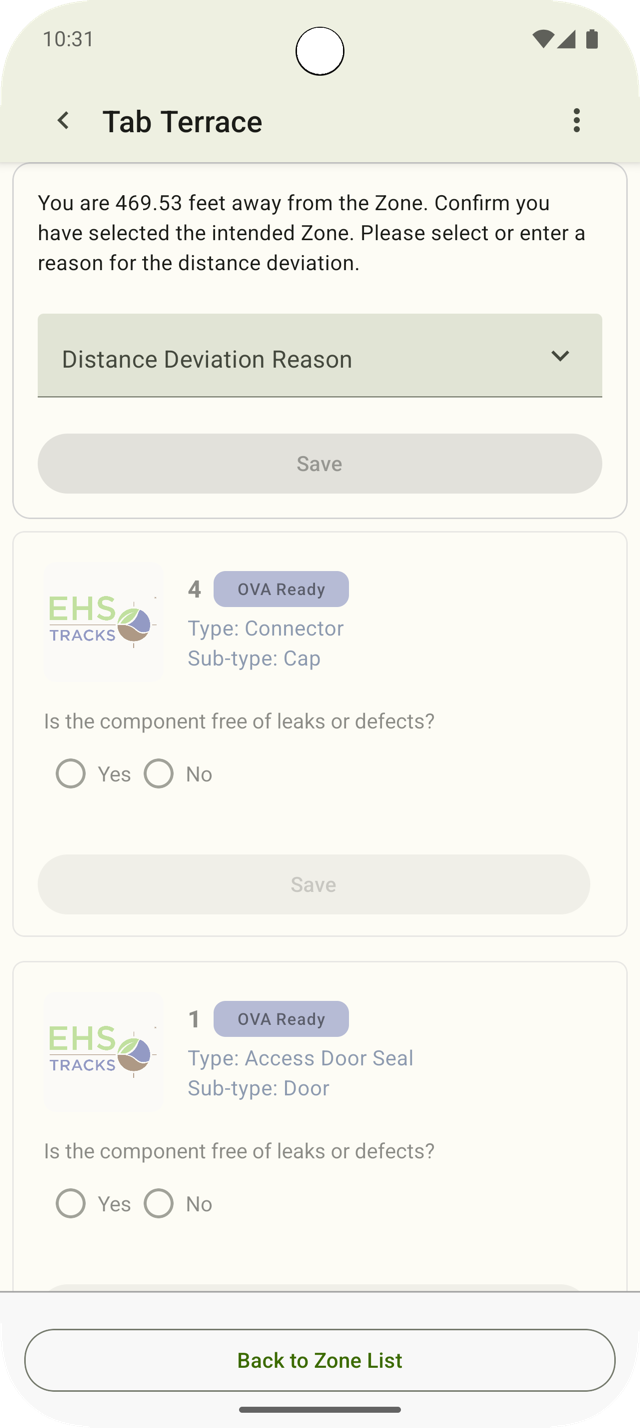
EHSTracks checks the inspector’s GPS position against the Inspection Point’s recorded location. If they’re too far away, the form stays locked until they enter a written reason. The deviation and the reason go into the Distance Deviation report, where you can read them from corporate.
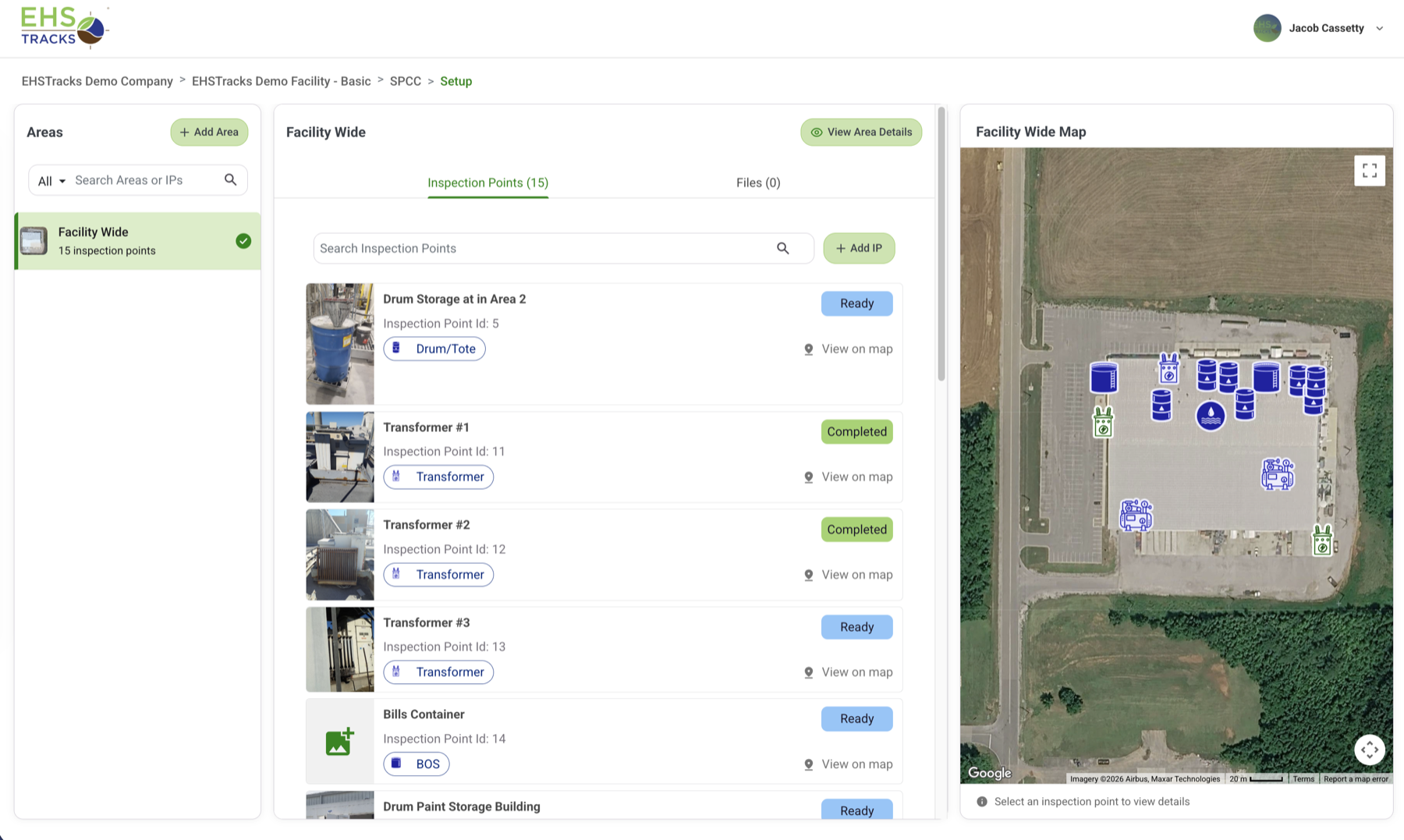
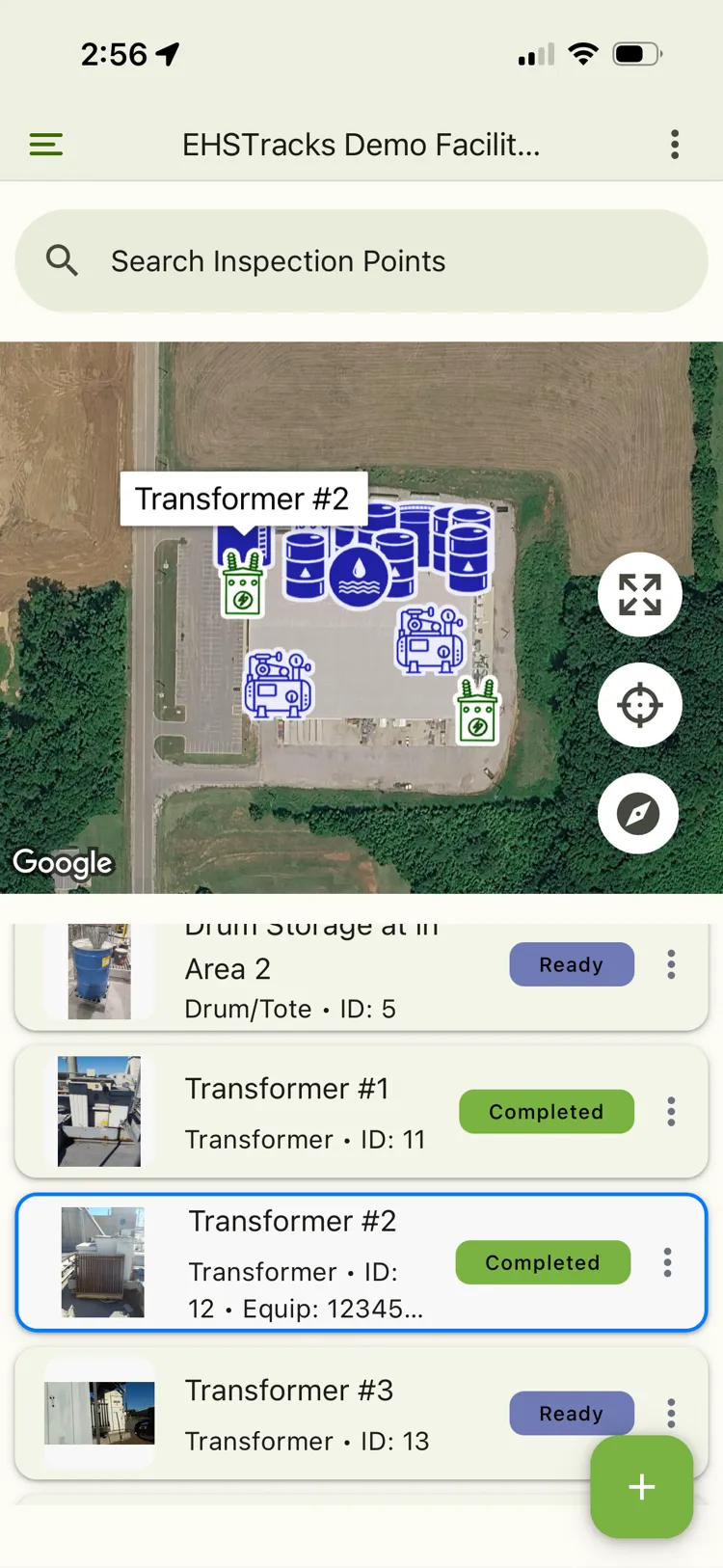
- Patented GPS distance-deviation enforcement and patented satellite mapping. Every point is a pin on a satellite map, colored by status.
- Skips need a reason. An uninspectable point is skipped with a documented reason, never left blank.
- Photos stay with the answer. Evidence is attached to the finding it supports.
- The history is permanent. Each point keeps a timestamped record of answers, photos, and locations.
Which programs can every facility run on one platform?
Each facility gets the products it needs. A refinery might run LDAR, SPCC, stormwater, and waste; a pipeline terminal, SPCC and stormwater. Either way, the records reach corporate in the same shape.
| Product | Regulation | What corporate sees |
|---|---|---|
| SPCCSpill Prevention, Control, and Countermeasure | 40 CFR Part 112 | Container and secondary containment inspections on schedule at every tank battery and storage yard; failed items tracked as Repairs. |
| LDARLeak Detection and Repair | 40 CFR Parts 60 and 63; EPA Method 21 | OVA (olfactory, visual, auditory) and Method 21 inspections by component. Leaks recorded automatically above your leak definition, with 5- and 15-day repair clocks, Delay of Repair (DOR), and Follow-Up Monitoring (FUM). Optical gas imaging (OGI) surveys with camera verification before every survey and OGI video attached to the Repair. |
| StormwaterIndustrial stormwater and SWPPP | NPDES industrial stormwater permits | Scheduled inspections plus post-storm event inspections, started on demand. |
| WasteHazardous and non-hazardous waste | RCRA generator rules, 40 CFR Part 262 | Container inspections, versioned waste profiles, required ship dates, shipments, and generator totals. EPA e-Manifest status on the Professional tier. |
| SafetyGeneral facility safety | OSHA general industry, 29 CFR 1910 | The same scheduling, GPS checks, and Repairs for equipment such as eyewash stations and safety showers. |
| Fire ProtectionFire safety inspections | NFPA inspection standards | Extinguishers, suppression systems, hydrants, alarm panels, and emergency exit hardware. |
| FLEXCustom inspection programs | Your own program requirements | Programs you define, on the same offline-first app and records. |
How this looks by industry: oil and gas and chemical and refining.
What does audit day look like?
A report you run, not a project you staff. Eight report types run for each product and inspection period, at any facility you’re assigned.
| Report | On-screen | Excel | |
|---|---|---|---|
| Full MonitoringEvery answer recorded in a period | Yes | Yes | Yes |
| Summary MonitoringCondensed period summary; PDF available with photos | Yes | Yes | Yes |
| InventoryEvery Inspection Point in the product | Yes | Yes | Yes |
| Technical ChangeSetup and configuration changes (not available for LDAR) | Yes | Yes | Yes |
| Pre/Post Inspection QuestionsDaily checklist answers | Yes | Yes | Yes |
| Distance DeviationGPS deviations and their written justifications | Yes | Yes | Yes |
| AuditorThe audit package, with Method 21 calibrations attached | No | No | Yes |
| Blank MonitoringPrintable blank field forms (limited for LDAR) | Yes | Yes | No |
Three things an auditor will ask for
- The period, in one file
- The Auditor Report packages a period as a PDF. For LDAR Method 21 periods, the instrument calibrations are attached automatically.
- What the profile said then
- Waste profiles are versioned, and each container links to the profile version in force when it was added.
- Three years of Tank 14
- Every Inspection Point keeps a permanent history of answers, photos, timestamps, and GPS locations. It’s a lookup, not a search.
What does rollout look like across your facilities?
There’s no self-service signup, on purpose. You get a setup team, not a login link.
Scope it with us
Start from your facility list, the products each facility needs, and the equipment you already inspect.
We configure it
Our team sets up each product, its Frequency Groups, and its question rules, then assigns every user a role and their facilities.
Inspectors sync and go
One sync puts the facility on the phone. The app is offline-first, so remote facilities with no coverage take part from the first day.
Corporate runs it
Dashboards, Repairs, reports, and email alerts are yours from the first inspection period.
When is EHSTracks the wrong fit?
If you came here searching for a scalable or enterprise EHS platform, here’s the honest line: EHSTracks scales across facilities and programs, but it isn’t an enterprise suite.
It doesn’t handle incident or injury management, air permits or Title V, training records, or ESG reporting. If you need one global system of record for all of that, buy an enterprise suite; our EHS software comparison shows which category fits which problem.
If your problem is proving that inspections happened at every facility, on schedule, at the right equipment, and that every deficiency got fixed, that’s the job EHSTracks was built for.
Multi-Facility EHS Compliance FAQ
How do corporate EHS teams standardize inspections across facilities?
By standardizing configuration instead of paperwork. Every facility in EHSTracks runs on the same building blocks: Frequency Groups for each program’s cadence, question rules that choose the right questions for each Inspection Point type, and centrally managed dropdown lists. Exceptions use area or point overrides, not separate checklists, so records from every facility line up.
How do I know an inspection actually happened at the equipment?
EHSTracks compares the inspector’s GPS position with the Inspection Point’s recorded location. If the inspector is too far away, the form stays locked until they enter a written justification, which appears in the Distance Deviation report. With timestamps, photos, and a patented satellite map of every point, the record shows where the inspector was, not just that a form was submitted.
What happens when a facility misses an inspection?
The system records it. Each night, in each facility’s local timezone, EHSTracks closes the expiring inspection window, records uninspected points as missed, and opens the next one. Opted-in users get email warnings 30, 15, 5, and 1 days before a period ends with incomplete points, and a missed-inspection email when a period closes with nothing recorded.
What should a corporate team look for in a scalable EHS platform?
Look at what stays the same as you add facilities. A scalable EHS inspection platform keeps one configuration across every site, proves inspectors were at the equipment, records missed inspections without anyone reporting them, works offline at remote facilities, and produces the same audit report at site 30 as at site 1. For oil and gas, refinery, and utility operators, also check that each facility can run a different mix of programs without forking the system.
How long does it take to roll out EHSTracks across multiple facilities?
It depends on your facility count, the products each facility runs, and how much equipment data already exists. Onboarding is managed: our team configures products, Frequency Groups, roles, and facility access, and the regulatory logic (LDAR repair clocks, SPCC workflows, post-storm inspections) is already built. In a demo, we’ll lay out a rollout plan for your facilities.
Is EHSTracks an enterprise EHS suite?
No. EHSTracks covers field inspection programs: SPCC, LDAR, Stormwater, Waste, Safety, Fire Protection, and FLEX for custom programs. It doesn’t handle incident management, air permits, training, or ESG reporting, but it can run alongside an enterprise suite as the record of field inspections. Our EHS software comparison shows where each category fits.
Which compliance programs does EHSTracks cover?
Seven products: SPCC (Spill Prevention, Control, and Countermeasure), LDAR (Leak Detection and Repair, with OVA, EPA Method 21, and optical gas imaging (OGI) inspections), Stormwater, Waste, Safety, Fire Protection, and FLEX for custom inspection programs. Each facility gets the products it needs, so a refinery and a tank terminal can run different mixes.
Does EHSTracks integrate with our existing systems?
Not through a general API. EHSTracks is a standalone system of record with one live external connection: shipment status from EPA’s e-Manifest system, on the Professional tier of the Waste product. Data moves to other systems through the eight report types and their Excel and PDF exports. If a deeper connection matters, raise it in the demo and we’ll give you a straight answer.
Bring your facility list. We’ll show you what corporate sees.
Sized to your facility count and program mix.
Request a walkthrough